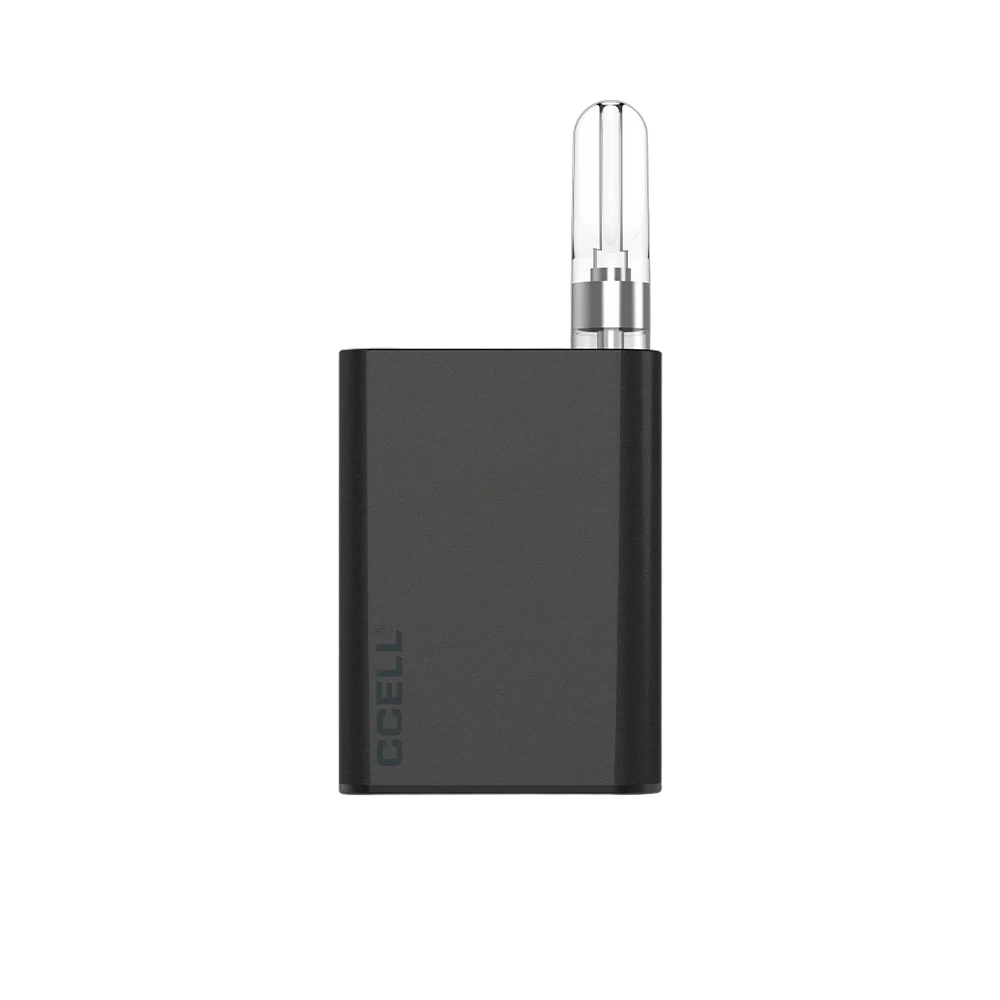
A magnetic 510 battery lets a cartridge drop in rather than screw on, and 3DevicesCCELL lists four of them: Palm Pro, Sandwave and Fino through a drop-in magnetic connection, and Rizo through a magnetic adaptor. Three more screw on in the usual way but add a screen or an oil view window: Kap with its smart display and battery-cap stealth mode, Stylo with a digital display and semi-transparent body, and Palm SE with an unobstructed oil view window. If your brand wants a magnetic 510 battery to sell beside its cartridges, start with the first group. If a visible screen or oil level matters more, start with the second. Every figure comes from each battery’s own listing.
Key takeaways
- Magnetic connection: Palm Pro, Sandwave, Fino (drop-in) and Rizo (magnetic adaptor). A cartridge nut or adaptor is needed.
- Screens and windows: Kap and Stylo have displays, and Stylo and Palm SE have oil view windows.
- Kap and Stylo accept cartridges up to 14mm in diameter.
- A CCELL magnetic adapter (also called a cartridge nut) screws onto a 510 cartridge so it can drop into a magnetic battery.
- All seven are inhale activated and charge over USB-C. Cartridges are not included.
Seven CCELL magnetic and display batteries compared
Capacity, voltage and connection separate the seven more than anything else. The first table gives capacity and size.
| Listing | Capacity | Dimensions (mm) |
|---|---|---|
| Palm Pro | 500mAh | 57.5H x 42W x 13.55D |
| Palm SE | 500mAh | 57.6H x 41.9W x 13.5D |
| Kap | 500mAh | 99.31 x 40.2 x 21.4 |
| Stylo | 500mAh | 57H x 42.4W x 20D |
| Rizo | 300mAh | 62.7H x 34W x 14.8D |
| Sandwave | 400mAh | 60H x 38.2W x 16.2D |
| Fino | 190mAh battery, 1000mAh dock | Battery 55.4H x 25W x 13.35D |
The second table gives voltage and the way each battery takes a cartridge.
| Listing | Voltage settings | Connection |
|---|---|---|
| Palm Pro | 2.8V / 3.2V / 3.6V | Drop-in magnetic, standard 510 |
| Palm SE | 2.8V / 3.2V / 3.6V | 510 standard |
| Kap | 2.6V / 3.0V / 3.4V | 510 standard, carts up to 14mm |
| Stylo | 2.4V / 2.8V / 3.2V | 510, carts up to 14mm |
| Rizo | 2.8V (L) / 3.3V (H) | Standard 510 via magnetic adaptor |
| Sandwave | 2.8V / 3.2V / 3.6V by slide switch | Drop-in magnetic |
| Fino | Eight, in 0.2V steps from 2.2V to 3.6V | Drop-in magnetic |
The third table shows heating modes and on-device feedback, which vary more than capacity does.
| Listing | Heating | Feedback |
|---|---|---|
| Palm Pro | 10-second preheat | 3-bar battery LED |
| Palm SE | 15-second stable temperature heating | Oil view window |
| Kap | 15-second preheat, 15-second stable heating | Smart display |
| Stylo | 15-second preheat, 15-second stable heating | Digital display, oil view window |
| Rizo | None listed | 3-bar LED, haptic feedback |
| Sandwave | None listed | Slide switch position |
| Fino | 10-second preheat | LED indicator lights, oil view window |
The magnetic 510 battery group
A magnetic connection changes the handling more than the electronics. With a magnetic adaptor or nut fitted to the cartridge, the cartridge drops in rather than screwing on. A brand therefore has to decide whether the adaptor ships on the cartridge, in the battery box or both.
CCELL Palm Pro
Palm Pro is a 500mAh drop-in magnetic battery with adjustable airflow, with three voltage steps and a 10-second preheat. The feature panel adds three operating details worth putting in your user insert:
- The cartridge drops in once a magnetic cartridge nut has been connected.
- The airflow collar has fully open, halfway open and narrowly open positions, which change draw resistance.
- Preheat starts with two short presses of the button.
Shop colours are Deep purple, Forest green, Graphite grey, Ruby and Champagne, and the listing is available for customisation.
CCELL Rizo
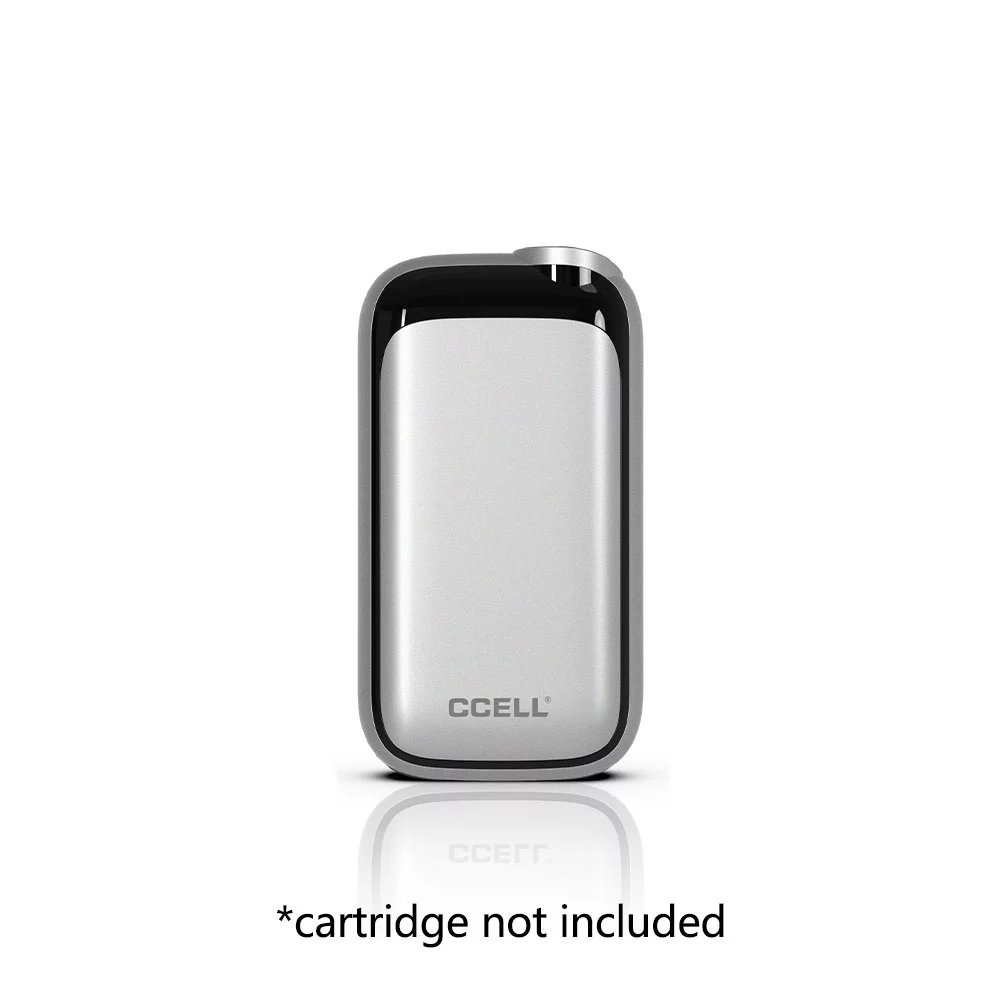
A two-setting battery with haptic feedback, Rizo is smaller in capacity at 300mAh, with settings of 2.8V (L) and 3.3V (H). It takes standard 510 cartridges via a magnetic adaptor. Two spec lines set it apart: haptic feedback and a published materials list of aluminium, zinc alloy, PC and silicone. A 3-bar LED shows battery level, and it comes in Black or Silver.
CCELL Sandwave
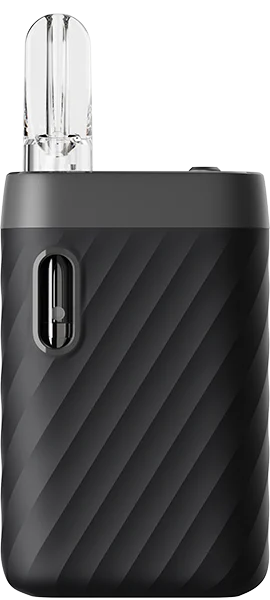
The CCELL Sandwave slide-switch battery holds 400mAh and offers 2.8V, 3.2V and 3.6V on a slide switch, with 510 cartridges dropping in on its magnetic connection. The feature panel describes a silicone wave grip. It is listed in Black and is available for customisation. A slide switch suits users who prefer to see the setting at a glance rather than cycle through it with a button.
CCELL Fino
Fino is a 190mAh battery that docks into a 1000mAh power dock, so it comes in two parts: the mini battery with an oil view window and the detachable dock. Output can be set at eight levels, moving in 0.2V increments between 2.2V and 3.6V, and the kit also offers a 10-second preheat and LED indicator lights.
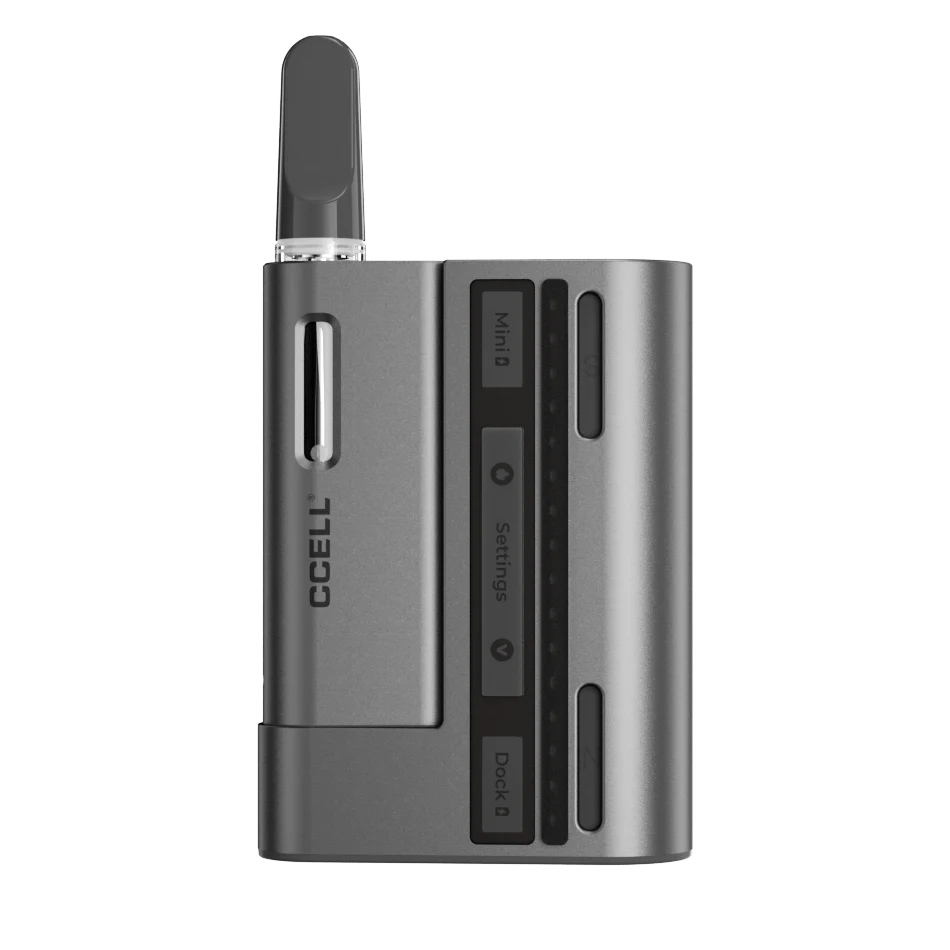
The feature panels add three conditions to explain in the product insert:
- The voltage can only be changed while the battery sits in the dock.
- Preheat also requires the battery and dock to be connected.
- The dock is described as giving the mini battery over five full charges.
Colours are Cocoa and Moon Grey, and Obsidian Grey and Platinum. Fino suits a brand that wants fine voltage control in a two-piece kit, provided the insert explains that settings are changed on the dock.
CCELL magnetic adapter: what it is and how it fits
A CCELL magnetic adapter is a small metal connector that screws onto the base of a 510 cartridge, so the cartridge holds in a magnetic battery by magnet instead of by thread. CCELL’s 510 battery FAQ describes it as a 510 threaded adaptor, and its product pages call it a magnetic cartridge nut or a metal adapter. A ccell 510 magnetic adapter and a ccell magnetic screw adapter are the same idea under different names.
The fitting sequence is short:
- Screw the 510 cartridge into the adapter until it is snug.
- Drop the cartridge and adapter into the battery, where the magnet holds them.
- Draw or press the button, depending on the battery.
- To swap cartridges, lift the cartridge out. No unscrewing from the battery is needed.
The table shows which of the seven batteries use an adapter, based on each listing and CCELL’s own pages.
| Battery | Connection | Adapter detail |
|---|---|---|
| Palm Pro | Drop-in magnetic | CCELL says the cartridge must first be connected to a magnetic cartridge nut |
| Fino | Drop-in magnetic | CCELL says the cartridge screws into one of the included metal adapters |
| Rizo | Magnetic adaptor | Listing names a magnetic adaptor for standard 510 cartridges |
| Sandwave | Drop-in magnetic | Adapter supply is not stated on the listing |
| Kap | Standard 510 thread | No adapter listed |
| Stylo | 510 thread | No adapter listed |
| Palm SE | Standard 510 thread | No adapter listed |
Kap’s magnetic battery cap is a stealth-mode feature and not an adapter, so Kap takes a cartridge by thread.
What this means for a brand
A standard threaded cartridge will not seat on the Palm Pro magnet without its nut, so decide how the adapter reaches the customer. It can be fitted to each cartridge, packed in the battery box, or supplied separately.
The Fino ships with metal adapters, but the product page does not state how many. Confirm quantities with our team before you plan packaging or a retail insert.
The display and oil-window group
CCELL Kap
With a stealth-mode cap and a smart display, Kap is 99.31 x 40.2 x 21.4 mm with a 500mAh battery. The battery cap activates stealth mode, and the smart display reports both the current voltage and the charge remaining. Kap steps between 2.6V, 3.0V and 3.4V, preheats for 15 seconds and also lists 15-second stable heating. The shop colour is Black.

Kap’s 2.6V step sits below the starting step of Palm Pro, Palm SE, Sandwave and Rizo, so it belongs in your test plan when validation favours lower settings.
CCELL Stylo
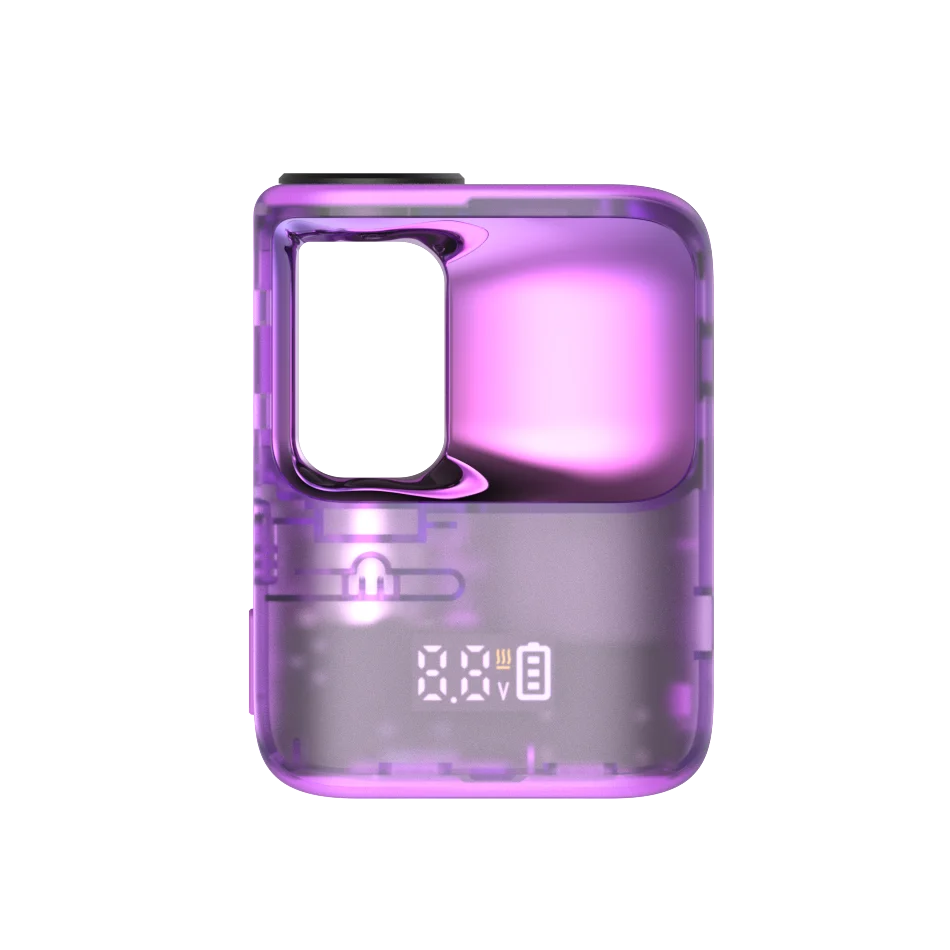
The CCELL Stylo display battery holds 500mAh in a 57H x 42.4W x 20D mm semi-transparent body. It steps between 2.4V, 2.8V and 3.2V, and lists a 15-second preheat and 15-second stable heating, a digital display screen and an unobstructed oil view window. The feature panel locates the controls: a preheat side button and a voltage bottom switch. Five shop colours are offered: Coffee Brown, Purple, Yellow, Blue and Black.
CCELL Palm SE
The CCELL Palm SE oil-window battery is close to the Palm Pro in size (57.6H x 41.9W x 13.5D mm) and shares its 500mAh capacity and 2.8V, 3.2V and 3.6V steps. Instead of a preheat, airflow collar or magnetic drop-in, it lists 15-second stable temperature heating and an unobstructed oil view window. It uses a standard 510 thread and comes in Gold or Grey.

Matching a battery to your cartridge range
Cartridge diameter
Kap and Stylo publish a maximum cartridge diameter of 14mm, so they are the two to start with if your range includes cartridges up to that width. Whichever battery you shortlist, fit the exact cartridge you sell and check the seating by hand. Our cartridge and battery compatibility guide explains how thread, width and connection combine.
Voltage range
Laying the published steps side by side shows the spread.
| Voltage steps | Battery | Number of steps |
|---|---|---|
| 2.2V to 3.6V in 0.2V steps | Fino | 8 |
| 2.4V / 2.8V / 3.2V | Stylo | 3 |
| 2.6V / 3.0V / 3.4V | Kap | 3 |
| 2.8V / 3.2V / 3.6V | Palm Pro, Palm SE, Sandwave | 3 |
| 2.8V / 3.3V | Rizo | 2 |
Choose the battery whose steps include the setting you validated for each cartridge and oil. If that testing has not been done, run each shortlisted battery at every step with the same cartridge and oil before you choose. Our guide to voltage settings by oil type sets out a starting ladder, and the blog on oil viscosity and intake aperture explains why thick oils behave differently.
Magnetic or threaded
A magnetic connection needs an adaptor or nut on each cartridge, while a threaded battery does not. That difference affects packaging, the insert and what goes into each retail unit. For the threaded basics, see what a 510 thread cartridge is.
Oil visibility
Three of the seven publish an oil view window: Palm SE, Stylo and Fino. A window lets the end customer see the fill level without removing the cartridge, which helps when a product is refilled or reused. It also means the cartridge body is on show, so clear glass or a clear thermoplastic tank suits these batteries better than an opaque one. If your cartridges are opaque, an oil window adds nothing to the product and a plainer model may give better value.
What to put in the user insert
Every battery in this group has one or more controls or conditions that the end customer needs explained, so plan insert wording while testing is under way. Use the setting names exactly as they appear on the device.
- Palm Pro: fitting the magnetic nut, the three airflow positions and the two-press preheat.
- Rizo: what the haptic feedback means and how L and H are selected.
- Sandwave: the three slide-switch positions.
- Fino: that voltage and preheat work only when docked, and how the dock recharges the mini battery.
- Kap: the stealth cap and what the display shows.
- Stylo: the side preheat button and the bottom voltage switch.
- Palm SE: the 15-second stable heating mode.
Charging and troubleshooting
All seven recharge over USB-C or Type-C, and none needs a fire button to draw. If a unit stops charging, the battery not charging guide walks through the usual causes, and the LED blinking pattern guide helps read indicator behaviour. For safe charging habits on any 510 battery, see how to charge a 510 thread battery.
On magnetic models, a unit that gives no vapour is often a seating problem. Check that the cartridge is seated on the magnet and that the nut is clean, then wipe the contact with a dry, lint-free cloth.
Choosing quickly
This table condenses the comparison into a first shortlist for each need.
| If you need | Shortlist | Key reason |
|---|---|---|
| Drop-in magnetic, three steps, preheat and airflow | Palm Pro | Airflow collar, 10-second preheat |
| Two steps with haptic feedback | Rizo | 300mAh, L and H |
| Three steps on a slide switch, magnetic | Sandwave | Setting visible at a glance |
| Eight steps and a charging dock | Fino | 0.2V increments |
| A smart display and a stealth cap | Kap | Voltage and charge on screen |
| A digital display and a semi-transparent body | Stylo | Display and oil window |
| An oil view window with 15-second stable heating | Palm SE | Simple, no airflow collar |
Customisation and order checklist
Customisation is listed on Palm Pro, Sandwave and Fino. If you plan to mark the battery shell, read our laser engraving page for artwork and proofs first. On the purchase order, include:
- Model and colour exactly as listed.
- For magnetic models, how adaptors or nuts will be supplied with your cartridges.
- For Fino, an insert that explains dock-dependent voltage and preheat.
- Engraving artwork, if used.
The CCELL battery range shows these seven next to the M4 series and Go Stik, which our M4B Pro, M4 and Go Stik guide compares. For quantities and trade terms, read CCELL wholesale UK: MOQ and how to order. 3DevicesCCELL is a Bolton-based wholesale supplier of empty CCELL hardware for licensed UK businesses, and regulatory responsibility for the finished product rests with the buyer. Tell us which cartridges you need to pair through our contact page for battery enquiries.
FAQ
What is a CCELL magnetic adapter?
It is a small metal connector that screws onto the base of a 510 cartridge so the cartridge can drop into a magnetic battery and stay in place by magnet. CCELL also calls it a magnetic cartridge nut or a 510 threaded adaptor. Of our seven batteries, the Palm Pro, Fino and Rizo are described as using one.
Does the Palm Pro need a magnetic adapter?
It needs a magnetic cartridge nut. The feature panel says the cartridge drops in once that nut has been connected. Plan for how the nut reaches the customer, whether fitted to the cartridge or supplied separately in the box, because a standard threaded cartridge will not seat on the magnet without it.
Palm SE or Palm Pro: what changes?
Both have 500mAh and 2.8V, 3.2V and 3.6V. Palm Pro adds a 10-second preheat, adjustable airflow and a drop-in magnetic connection. Palm SE lists 15-second stable temperature heating and an oil view window. Choose by whether airflow control or oil visibility matters more to your product.
Which of these batteries show voltage on a screen?
Kap’s smart display shows voltage and battery level. Stylo has a digital display screen. The other five use LED indicators, haptic feedback, a slide switch or, on the Palm SE, an oil view window, so none of them shows a voltage readout.
Can Fino change voltage away from its dock?
No. CCELL’s notes say settings are changed only while the battery is docked, and preheat also needs the battery and dock to be connected. Explain this in the insert, because a customer who expects to change voltage on the mini battery alone will think the unit is faulty.
Which batteries accept 14mm cartridges?
Kap and Stylo list compatibility with 510 cartridges up to 14mm in diameter. If your range includes wider CCELL 3.0 cartridges, test-fit the exact cartridge on either battery before ordering, and see our M4 Tiny and Go Stik comparison for other wide-cartridge options.