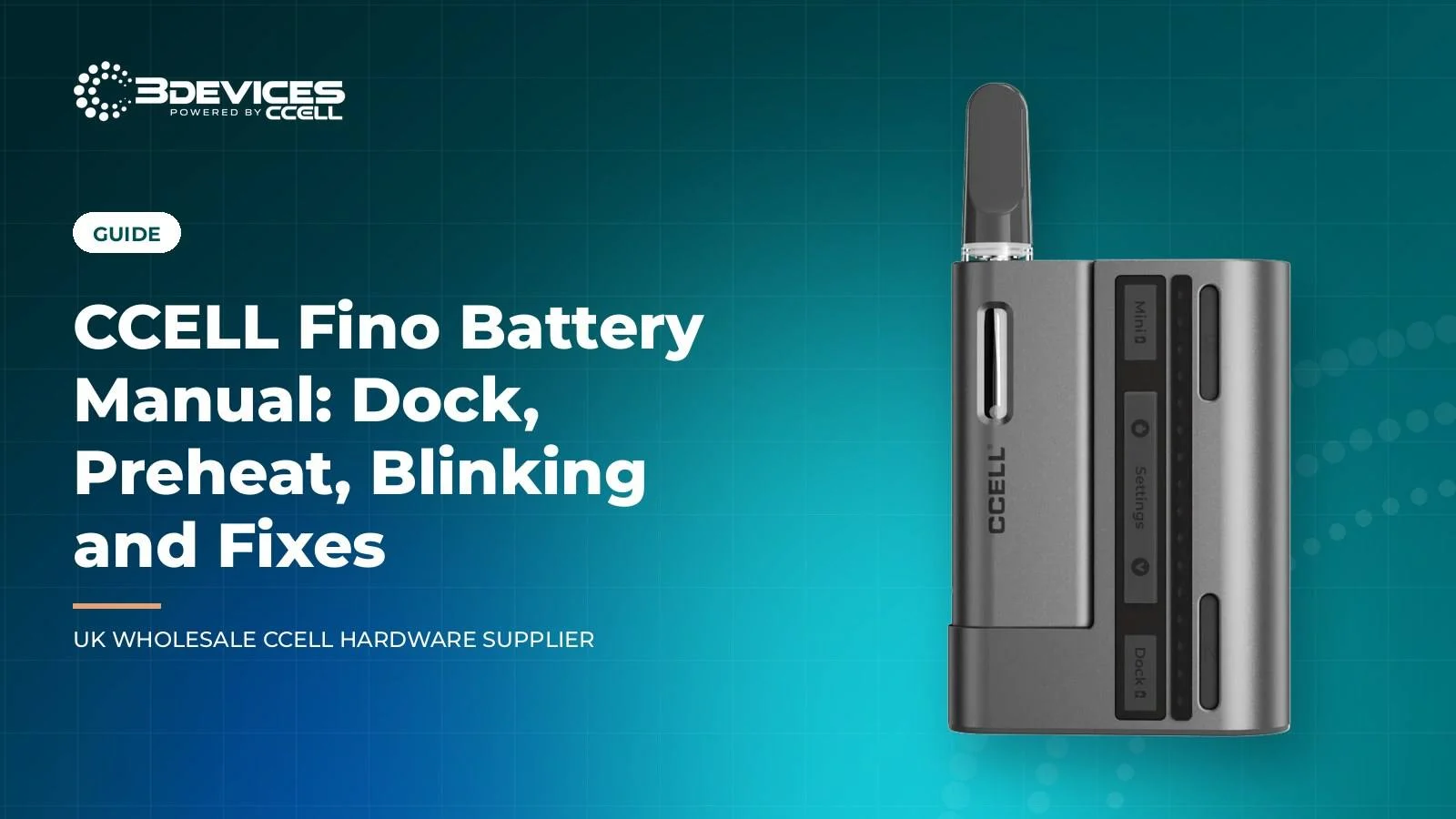
The CCELL Fino manual starts with one idea: the Fino is a 190mAh mini battery that lives in a 1000mAh power dock. You screw a 510 cartridge into a metal adapter, drop it into the mini battery, and draw, because the battery is inhale activated. Voltage and preheat are set with the battery seated in the dock.
The dock also charges the battery over USB-C, and CCELL says it holds over five full charges. This is our working manual for the dock, the controls, the blinking and the fixes, plus a short trade view of who the Fino suits and where it falls short for a wholesale range.
Key takeaways
- The Fino is a 190mAh mini battery plus a 1000mAh dock that gives over five full charges.
- Voltage has eight steps from 2.2V to 3.6V in 0.2V increments, and preheat runs for 10 seconds.
- Both voltage and preheat only work with the battery seated in the dock.
- No official source we can load defines what blinking five times means on a Fino.
- Most faults trace to the adapter, the contacts, a flat dock or a cartridge fault.
How does the CCELL Fino work?
The CCELL Fino 510 battery works as a two-part system: a pocketable 190mAh mini battery that fires on inhale, and a detachable 1000mAh dock that charges it and carries the controls. Slide the battery into the dock and it recharges; take it out and it works alone.
The connection is drop-in magnetic. You screw your 510 cartridge into one of the included metal adapters, then drop the adapter and cartridge into the mini battery. That is why a Fino takes a wide range of 510 cartridges without a thread on the battery itself.
Because the cartridge screws into the adapter first, a team can fit several cartridges to adapters ahead of time and drop each one into the battery when needed. That makes the adapter the part to check first when a cartridge seems not to connect.
The mini battery has an oil view window, so you can see the level in a cartridge whose tank is visible through it. The dock carries LED indicator lights that show the voltage step and the battery level. To read them, you connect the battery, dock and case together and open or close the case.
The mini battery on its own
CCELL says the mini battery can be used while it is attached to the dock or by itself. Out of the dock it is a slim pocket battery with a metallic casing, and it fires on inhale like any other inhale-activated pen.
The catch is control. You cannot change the voltage or start a preheat until you dock the battery again.
The dock as a power bank
The dock is a portable power bank with a 1000mAh cell. Docking the mini battery tops it up straight away, which suits field teams, trade stands and long deliveries where a wall socket is not close.
Because the LEDs sit on the dock, one glance tells you the active voltage step and the charge level, which also makes it easy to demonstrate at a counter.
For how the Fino sits beside the other magnetic and display batteries, see our comparison of CCELL magnetic and display 510 batteries. Our product page for the CCELL Fino battery and dock set holds the trade detail.
CCELL Fino manual: specifications at a glance
The table splits the Fino into its two parts, using the specification data from our product page and ccell.com.
| Item | Mini battery | Dock |
|---|---|---|
| Capacity | 190mAh | 1000mAh |
| Dimensions | 55.4H x 25W x 13.35D mm | 68.9H x 50.6W x 20D mm |
| Charging | Recharged by seating it in the dock | USB-C input |
| Indicators | Oil view window | LED lights for voltage and battery level |
| Controls | Inhale activation | Voltage and preheat need the battery docked |
| Connection | Drop-in magnetic with metal adapter | Not applicable |
The set ships as a battery and dock with metal adapters. Cartridges are not included, and the Fino can be customised, with colourways listed on the product page: Cocoa and Moon Grey, and Obsidian Grey and Platinum.
Dimensions matter for packaging. The mini battery is 55.4mm tall, so it sits in a shirt pocket, while the dock at 68.9mm tall and 50.6mm wide is the bulkier part when the two travel together.
At 190mAh the battery is small, which is the trade for its size. The dock is what turns it into a working day battery, because it recharges the cell several times away from a wall socket.
How to set the voltage and preheat
The Fino has eight voltage settings from 2.2V to 3.6V in 0.2V steps, and a 10 second preheat. Both need the mini battery connected to the dock, so seat it before you press anything.
Setting the voltage
- Seat the mini battery in the dock.
- Tap or hold the voltage button to move through the settings.
- Open or close the case and read the dock LEDs to confirm the step.
- Take the battery out of the dock and draw.
Use the range sensibly. The low end suits thin, delicate oils, the middle steps make a sensible house default, and the top end is for thicker fills. Write down the step that worked for each oil, because 0.2V steps are small enough to forget.
The eight steps are 2.2V, 2.4V, 2.6V, 2.8V, 3.0V, 3.2V, 3.4V and 3.6V. CCELL’s guidance is that a lower voltage suits flavour and a higher voltage suits more vapour. Our voltage settings guide covers which step suits which oil.
Running the preheat
With the battery seated in the dock, one tap of the preheat button starts a 10 second preheat. It warms the oil before the first draw, which helps thicker extracts, and CCELL presents it as a way to clear cartridge clogs.
Avoid repeated preheats back to back. The mini battery holds 190mAh, so a run of preheats empties it quickly, and the dock then has to top it up.
The product data gives tapping and holding for the voltage button and a single tap for preheat. It does not publish a longer button sequence, and we do not invent one.
What Fino blinking means, including blinking 5 times
We cannot give a verified meaning for blinking 5 times on a Fino. ccell.com and our product page publish no blink-code table, and the dock LEDs are described only as showing voltage and battery level.
What we can say is general. A counted blink on a 510 battery usually reports a protection event, such as a cartridge circuit fault, a low cell or an over-time cut-out, so we treat five blinks as a prompt to run a short set of checks. Timing is the clue.
| When it blinks | Likely cause | First check |
|---|---|---|
| On the first draw | Poor adapter or cartridge contact | Reseat the adapter and wipe the contacts |
| Rapidly with no heat | Cartridge circuit fault | Swap in a cartridge you know works |
| After a few seconds | Over-time protection | Release, wait, then draw in shorter pulls |
| On the dock | Charge state or loose seat | Reseat the battery and cable |
Note what you see before you start. Record when the blinking begins, how many blinks follow, and whether it happens with every cartridge. That log separates a cartridge fault from a battery or dock fault in minutes.
Our CCELL battery blinking guide lists the patterns by timing. If a unit blinks five times on a known-good cartridge after every check, keep the batch code and photos for a return.
Fino not working: fixes in order
Check the simple things first and keep the case closed when you read the LEDs, since the dock needs the battery, dock and case connected together to show settings. A CCELL Fino not working is usually a seating, contact or charge problem rather than a failed cell. Work through these steps in order and retest after each one.
- Charge the dock. Connect USB-C to the dock and leave the mini battery seated for a few minutes.
- Seat the adapter. Screw the cartridge fully into the metal adapter, then drop the adapter fully into the mini battery.
- Clean the contacts. Wipe the adapter base, the battery contact and the dock contacts with a dry, lint-free cloth. Oil on a contact can mimic a dead cell.
- Swap the cartridge. Try a cartridge you know works. If the second one hits, the first was the fault.
- Reseat everything. Remove the cartridge and adapter, take the battery out of the dock, wait a minute, then rebuild the set. We know of no published reset procedure, so this is a reseat, not a reset.
- Check the voltage. Step up one setting with the battery docked, and use the preheat for a thick fill.
Stop and swap the whole set if the mini battery is hot, swollen or smells sharp, and do not charge it again. Keep the batch code and photos before any return.
If the dock will not take a charge, read our guide to CCELL batteries that will not charge. If the cartridge is the weak link, check fit and resistance in the cartridge and battery compatibility guide.
Our trade view of the Fino
This is our view as a UK distributor, not a customer review. We do not quote forum threads or reviews, so a search for a CCELL Fino review or CCELL Fino Reddit thread will not find ours; this is what the specification supports.
- Who it suits: brands and field teams who want a discreet battery, a dock that doubles as a power bank, and fine voltage control.
- Cartridge range: the adapter lets it take standard 510 cartridges. The CCELL TH2 EVOMAX cartridge and the CCELL Kera cartridge are both 10.5mm glass formats on our product pages.
- Against the Palm Pro: the Palm Pro is a single 500mAh battery with three voltage steps and an airflow collar, while the Fino trades capacity for a dock and eight steps.
- Limits: the 190mAh cell is small, voltage and preheat need the dock, and there are more parts to lose than on a single pen.
Brands that include a Fino in a kit should plan for the parts. Pack spare adapters, print the voltage and preheat steps on the leaflet, and tell users that settings only change when the battery sits in the dock. Those three lines prevent most support questions.
We have not confirmed a maximum cartridge diameter for the adapter, so test a pairing before you commit to a run. CCELL Fino UK stock is supplied by our team, and trade pricing is shown on the product page.
FAQ
Why is my CCELL Fino blinking 5 times?
No official source we can load defines five blinks on the Fino, so we treat it as a protection event. Check the adapter seat, wipe the contacts, swap in a cartridge you know works, and charge the dock. If it keeps blinking on a good cartridge, keep the batch code and photos for a return.
How do I preheat the Fino?
Seat the mini battery in the dock, then tap the preheat button once. The Fino runs a 10 second preheat that warms the oil before your first draw. Preheat only works with the battery docked, so a battery on its own will not run it.
How do I change the voltage on a Fino?
Seat the mini battery in the dock, then tap or hold the voltage button to move through eight settings from 2.2V to 3.6V. The dock LEDs show the step you chose. Voltage adjustment needs the battery connected to the dock, so you cannot change it on the battery alone.
How long does the Fino dock last?
CCELL says the 1000mAh dock gives the 190mAh mini battery over five full charges. We cannot give a time in hours, because that depends on voltage, preheat use and draw length. Charge the dock over USB-C, and disconnect once the LEDs show it is full.
Which cartridges fit the Fino?
Any standard 510 thread cartridge can screw into the included metal adapter and drop into the mini battery. Our listings name the TH2-SE, TH2 EVOMAX, Kera and Vita. We have not confirmed a maximum diameter for the adapter, so check the body size of any wider format first.
Why is my Fino not hitting?
The usual causes are a flat dock, an adapter not fully seated, oil on a contact, a blocked cartridge or a voltage too low for thick oil. Charge the dock, reseat the adapter, wipe the contacts, then try a different cartridge. Step the voltage up one setting if the oil is thick.